 Byadmin
{:en}Decode Infrared Remote Controller with IR Receiver VS1838B{:}{:ja}赤外線レシーバー使って、赤外線リモコンの信号を復号化{:}
{:en}

In this project, we will use IR receiver VS1838B to decode the signal sent by any Infrared Remote controller(i.e.remote controllers for TV, DVD, Satellite box, and the IR controller with this kit etc).
Step 1 – Download IRremote Library, and then import the library into Arduino IDE(in Arduino IDE->Sketch->Import Library->Add Library)
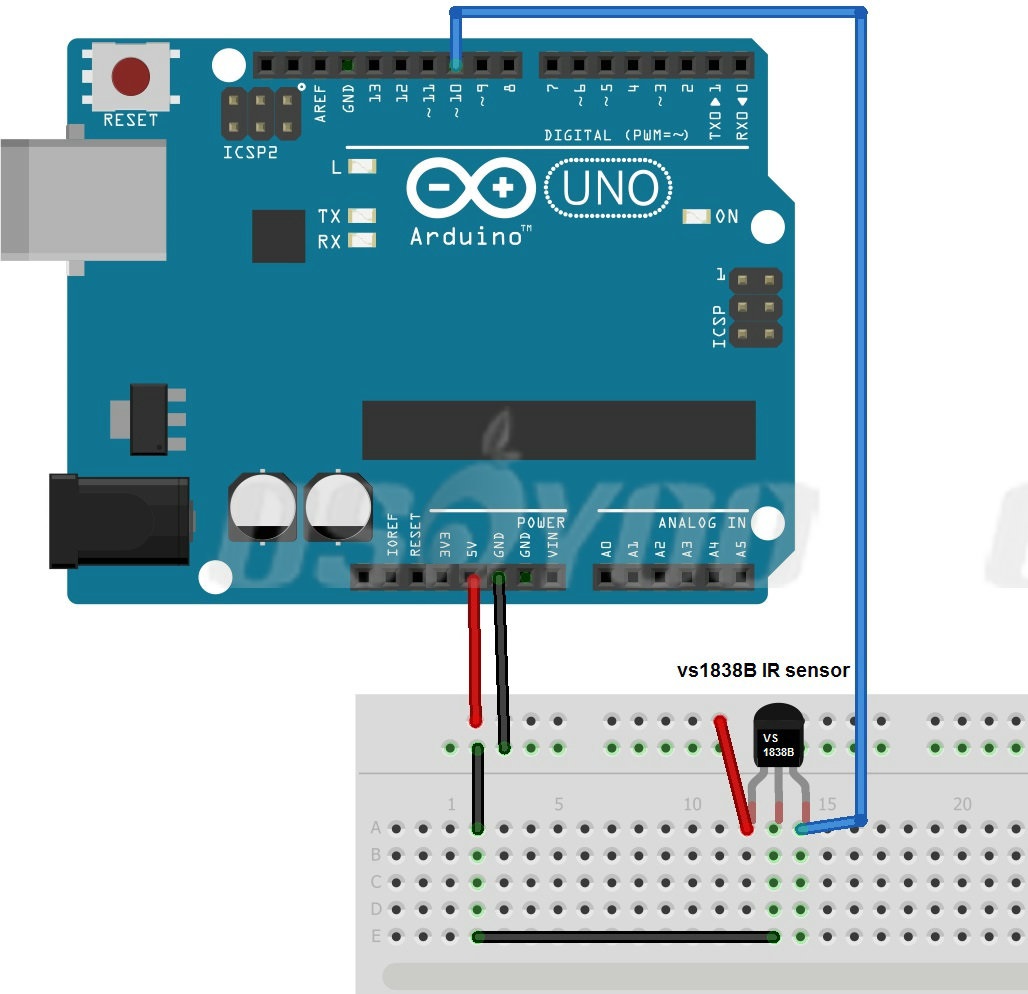
Step 2 – Connect Arduino with IR Receiver

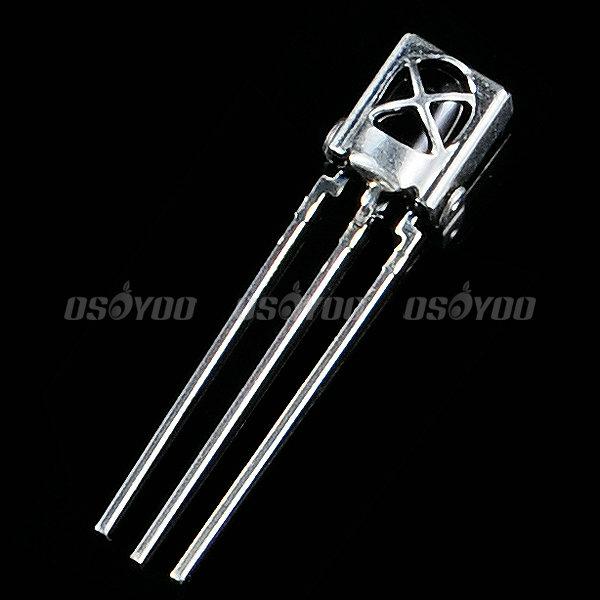
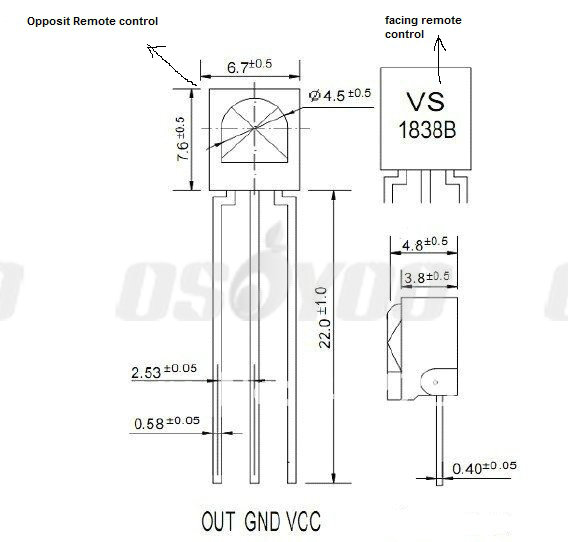
figure out the Signal-Out pin(left),Ground pin(middle) and VCC pin(right),connect Signal out pin to Arduino D10,Grand to Arduino GND and VCC to Arduino 5V as per following graph:

Step 3 – Download irdemo.ino sketch file, load it into Arduino.
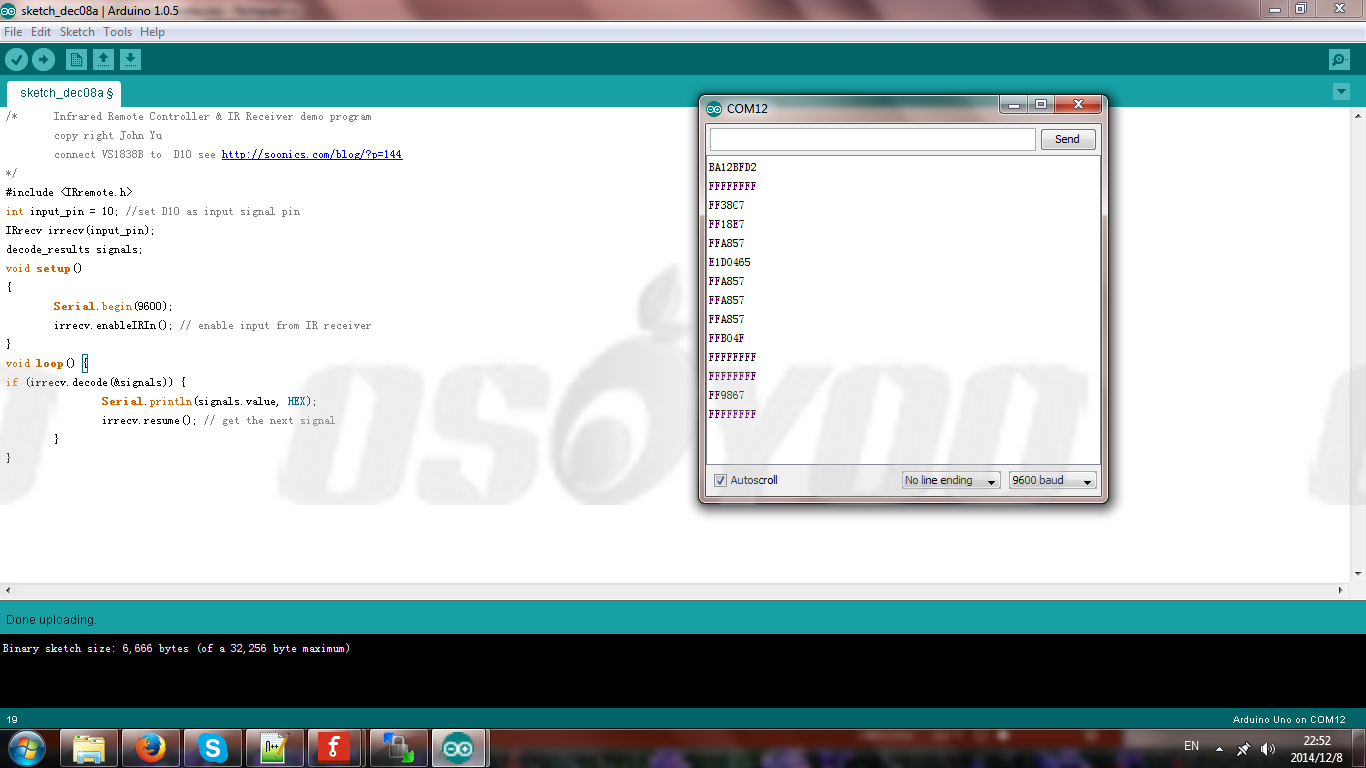
Step 4 – Point the Remote controller to the flat side of IR receiver(the side with “VS1838B” printing), then push any key on the remote controller. click the serial monitor in the upright corner of IDE window. The monitor Window will show the code of the key you just pushed. see following graph:

{:}{:ja}
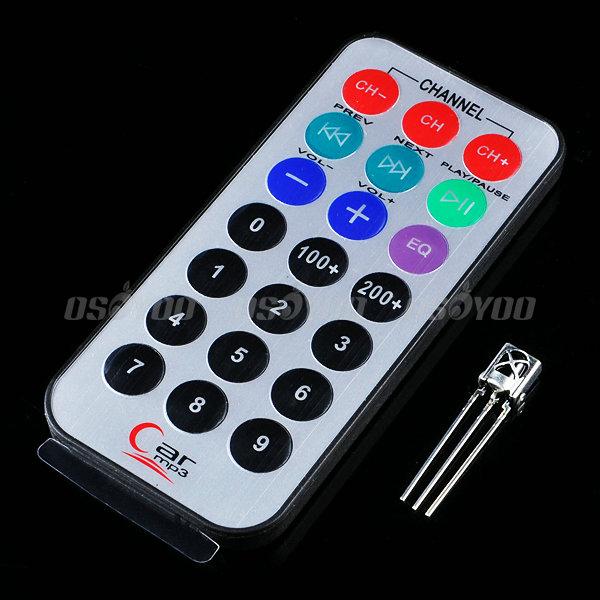
赤外線レシーバーを使って、赤外線リモコンの信号を復号化のプロジェクトです。(赤外線リモコン使用例、TV、 DVD、 衛星レシーバーなどの制御など…).
Step 1 – IRremote Libraryをダウンロードして、, ダウンロードしたのlibraryをArduino IDEに導入してくださいませ。
( Arduino IDE->Sketch->Import Library->Add Library)
Step 2 – Arduinoと赤外線レシーバーを接続してください。(画像をクリックして拡大イメージを表示)
赤外線レシーバーの信号出力(左の足)、グラウンド(真ん中の足)、VCC PIN(右の足)とArduinoのD10インターフェイス,GNDインターフェイス、5Vインターフェイスと順次に接続してくださいませ。
赤外線レシーバーの正面と裏をご注意下さい。下記の画像をご覧ください~(画像をクリックして拡大イメージを表示)
Step 3 – irdemo.inoというファイルをダウンロードして、 ,Arduinoにロードしてくださいませ。
Step 4 – Arduino IDEでTools-serial monitorを開いて、赤外線リモコンは赤外線レシーバーにぴったり合わせって、 リモコンのボダンを押して、 ボダンのコードを表示します。
下記の画像をご参照下さい。(画像をクリックして拡大イメージを表示)
{:}

admin administrator
You must be logged in to post a comment
About the Author