 Byamber
Using Raspberry Pi to drive buzzer
Objective:
In this project, we will use raspberry Pi to drive buzzer and make alert sound repeatedly.
Parts and Devices
1 x raspberry Pi3
1 x raspberry Pi T-style extension
1 x buzzer
1 x PNP Transistor
mouse and keyboard
HDMI cable and HDMI monitor(or LCD TV)
1 x breadboard
Circuit Graph:
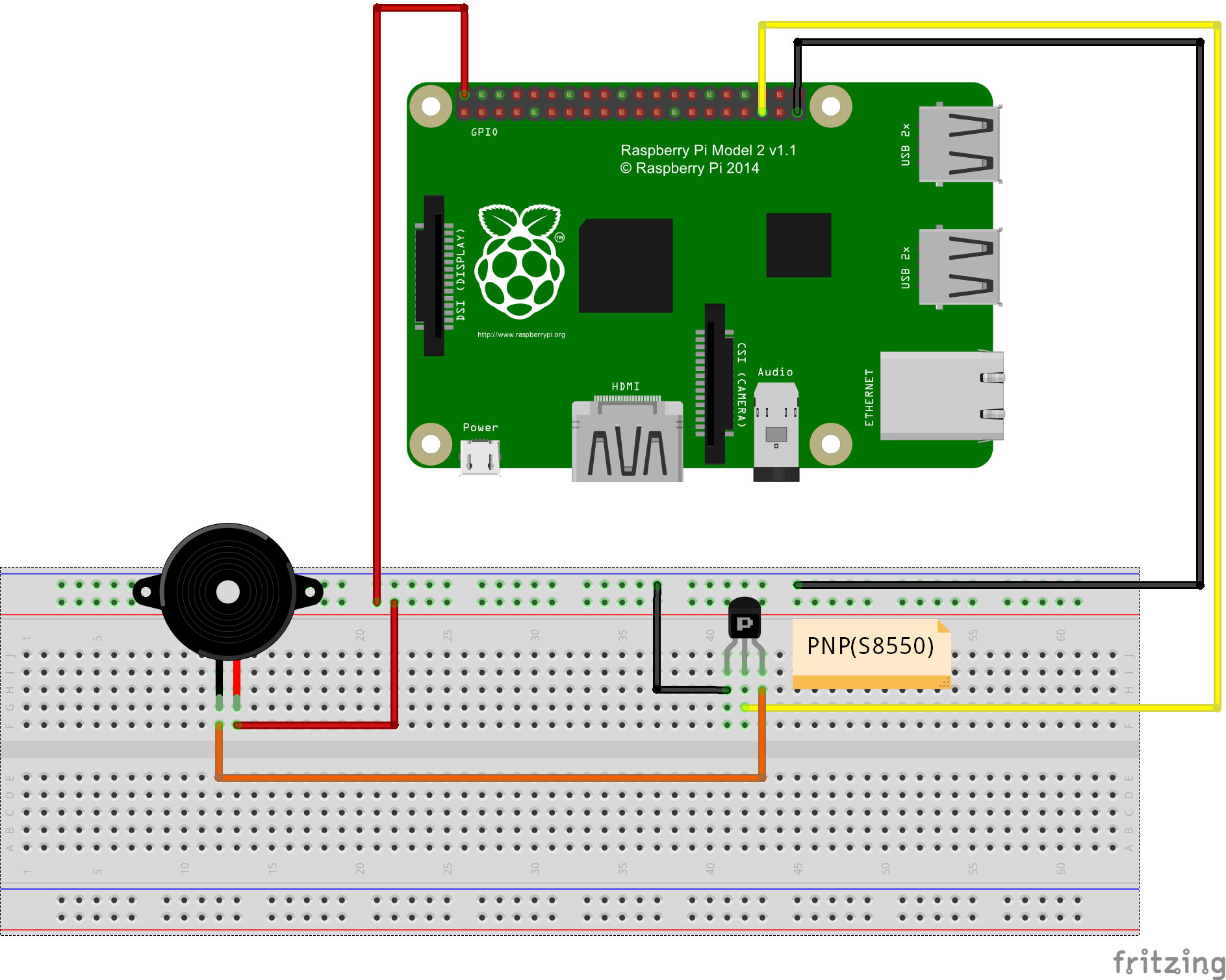
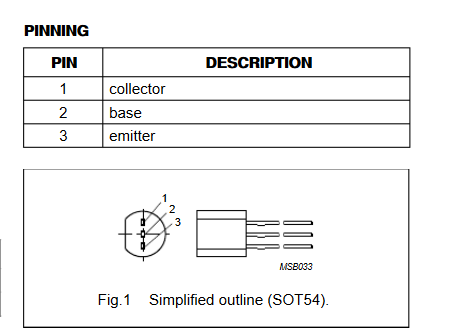
Transistor Pin description:
Software Installation:
1)Install git core(if you have already installed git core, please skip this step). Please run following shell command in Pi terminal:
sudo apt-get install git-core
sudo apt-get update
sudo apt-get upgrade
2)Install wiringPi libary(if you have installed wiringPi, please skip this step). Please run following command in Pi terminal:
git clone git://git.drogon.net/wiringPi
cd wiringPi
./build
3)Download/compile buzzer.c and run the program as following:
wget –no-check-certificate http://osoyoo.com/driver/buzzer.c
Note: In buzzer.c file, the buzzer is connected to port no.24. However, connection graph shows the buzzer is connected to GPIO 19. This is because buzzer.c includes wiringPi library whose port number does not match GPIO number. port 24 is actually GPIO 19. You can use gpio readall to check gpio port mapping(result as per following graph)
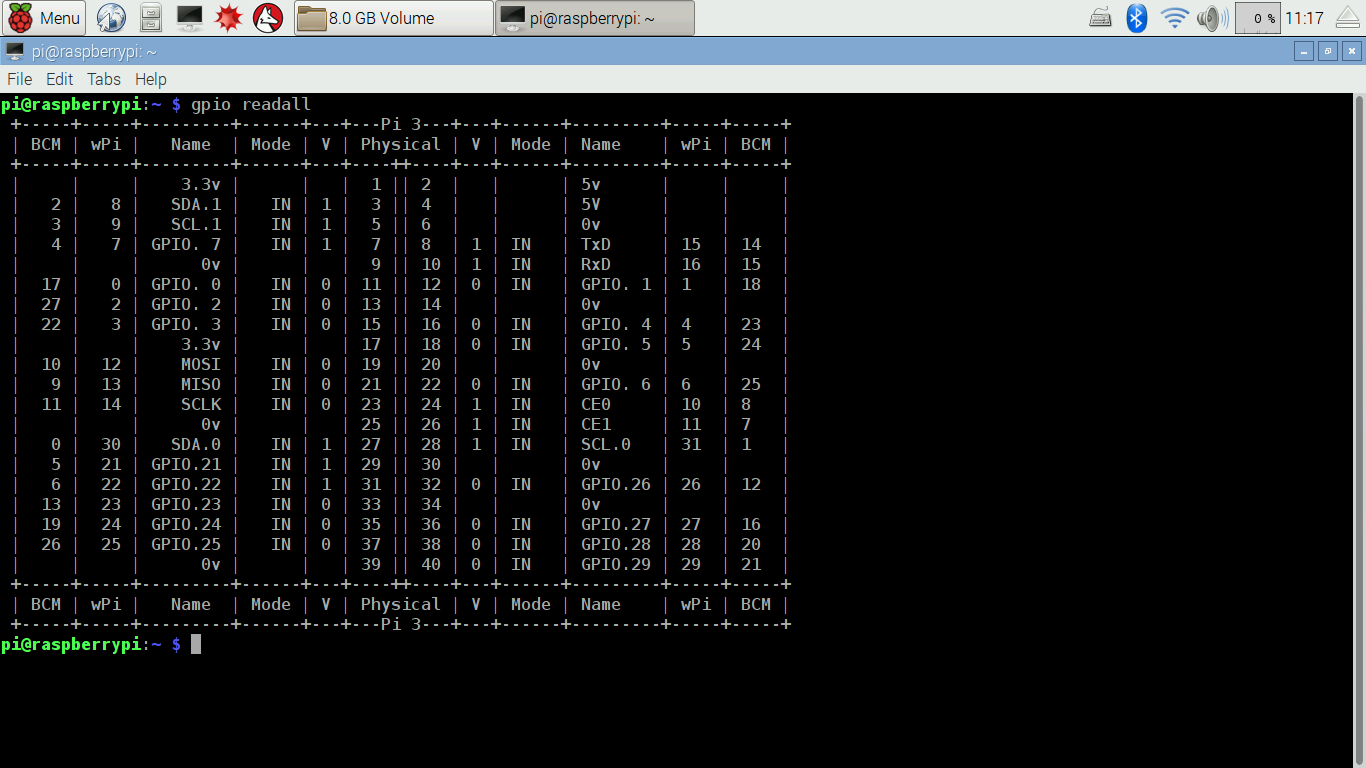
compile and run the code by typing following commands:
gcc -Wall -o buzzer buzzer.c -lwiringPi
sudo ./buzzer
you will hear buzzer sound.
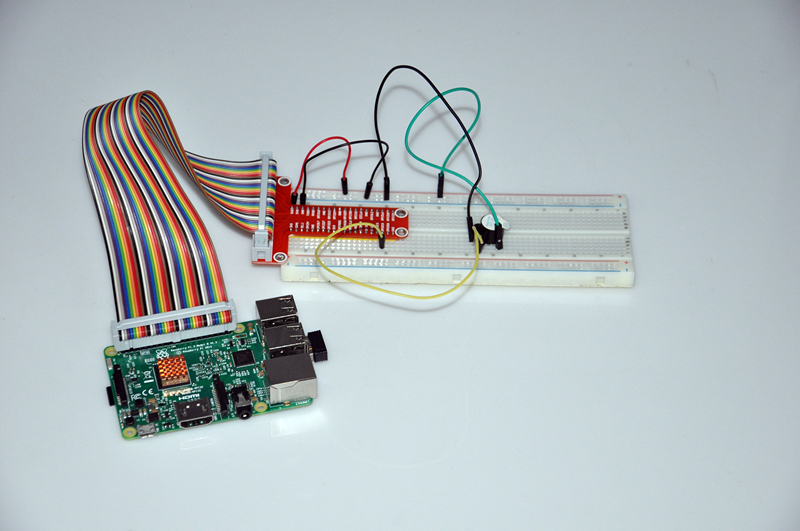
use “Ctrl+c “ to stop the program

amber administrator
You must be logged in to post a comment
About the Author