 Byamber
Optical Fingerprint Reader Sensor Module Installation Guide
| Buy from US | Buy from UK | Buy from DE | Buy from IT | Buy from FR | Buy from ES | Buy from JP |
 |
 |
 |
 |
 |
 |
 |
Download User Manual from following link:
http://kookye.com/download/fingerprint/Fingerprint_user_manual.pdf
Project 1: Use Arduino to drive fingerprint sensor
1, This project will use Arduino to get fingerprint information from fingerprint sensor and verify if fingerprint matches computer record.
Parts and Device:
arduino UNO R3 x 1 pc ; Fingerprint sensor x 1 pc;
Circuit connection graph:

| Fingerprint sensor | Arduino |
| green line | D2 |
| white line | D3 |
| Red line | 5V |
| Black line | GND |
Download Source code from following link:
For IDE 1.0.6 Version, please download the sample code from:
http://www.kookye.com/download/fingerprint/FingerprintSensor.zip
For IDE 1.6.6 version, please download the sample code from:
http://www.kookye.com/download/fingerprint/Fingerprint-Sensor–1.8.5.zip
Unzip above FingerprintSensor.zip, you see FingerprintSensor. Move this folder to arduino IDE libraries sub folder,
Input fingerprint:
In Arduino IDE Click >File -> Example ->FingerprintSensor->Enroll , then load the file in to Arduino.
Before upload the sktech to arduino,there are a few settings to make. Notice that “Board” is correctly set as “Arduino Uno”,“Port” is set as “(COM)Arduino Uno”. Then Select “ArduinoISP” from the Tools > Programmer.

Open serial terminal window in upper right corner, you will see following result:
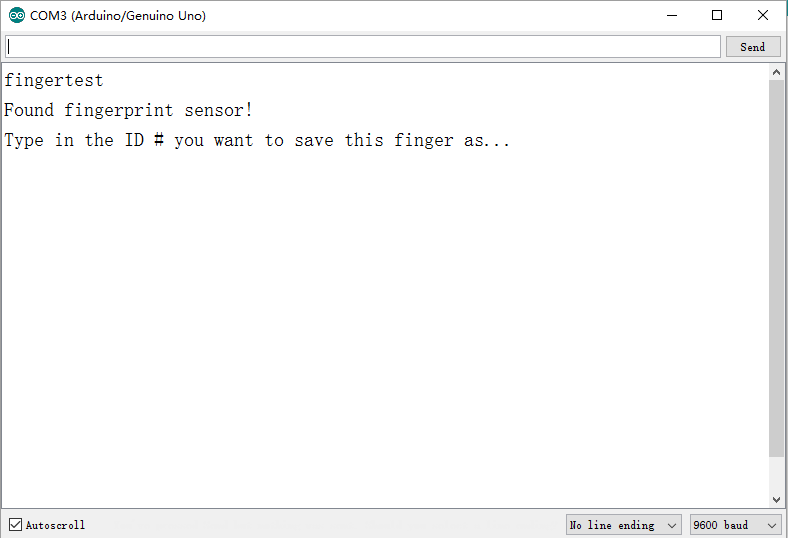
In text field input ‘true’ and then click ‘send’ ,the green LED in fingerprint sensor will flash,the serial terminal will show the following message:
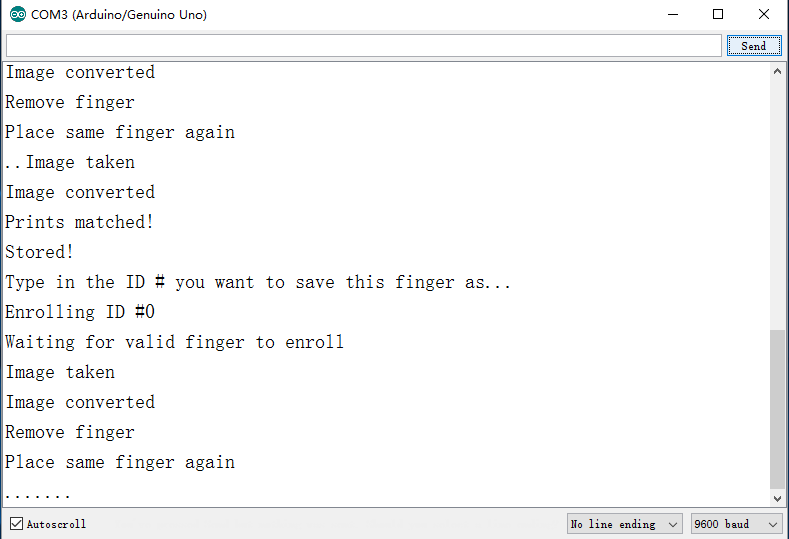
Put your finger onto the sensor, the sensor will record your finger print into memory.
Verify fingerprint
In Arduino IDE Click >File -> Example ->FingerprintSensor->fingerprint, then load the file in to Arduino.,
your will see that green LED will flash,open serial window and put your previous finger into sensor again, you will see new message in serial terminal as following:
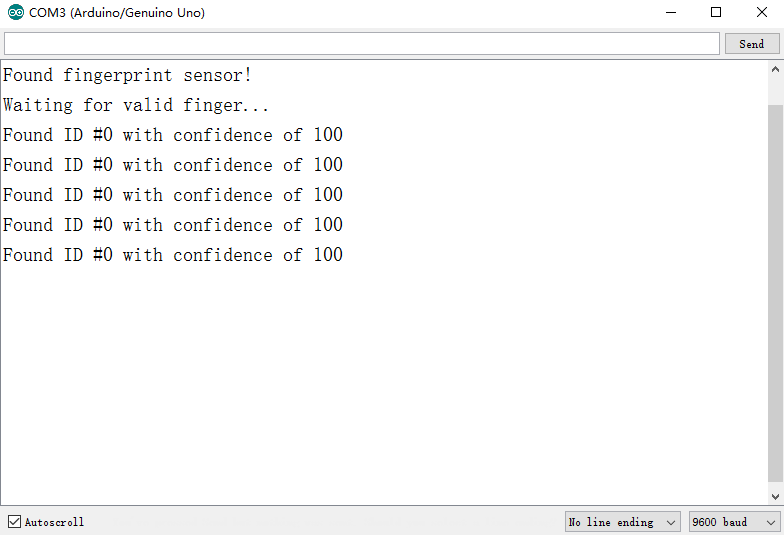
Download User Manual from following link:
http://kookye.com/download/fingerprint/Fingerprint_user_manual.pdf
Project 2: Use SynoDemo to drive fingerprint sensor
Parts and Device:
1 x USB to TTL module(CP210x)
1x Fingerprint sensor

| Fingerprint sensor | USB to TTL Module |
| green line | RX |
| white line | TX |
| Red line | 5V |
| Black line | GND |
Install SYDemo and driver
Download SYDemo from following link: SynoDemo_V2.7.zip
Unzip above.zip file and run SYDemo.exe
Download the CP210x driver from following link:
Unzip above file and install the driver
Enroll finger print
Run SyDemo_V2.7, click open Device>>select COM>> Enroll


amber administrator
You must be logged in to post a comment
About the Author